
The De’Longhi app espresso machine category has quietly become one of the most exciting developments in home coffee since the invention of the portafilter. If you’ve ever stood in front of your machine at 6 a.m., bleary-eyed, wishing your espresso could just make itself — De’Longhi’s Coffee Link app ecosystem is the closest thing to that dream. This guide covers everything: how the app works, which machines support it, what you can actually control, and whether the technology genuinely improves your cup.
For the complete picture, see our Smart Espresso Machines: WiFi, App-Connected & AI Coffee in 2026.
We’ve tested multiple connected De’Longhi machines side-by-side, dug through firmware update logs, and compared the app’s real-world performance against the marketing claims. What we found is nuanced — and genuinely useful for anyone serious about home espresso.
What Is the De’Longhi App Espresso Machine Ecosystem?
How the De’Longhi Coffee Link App Works
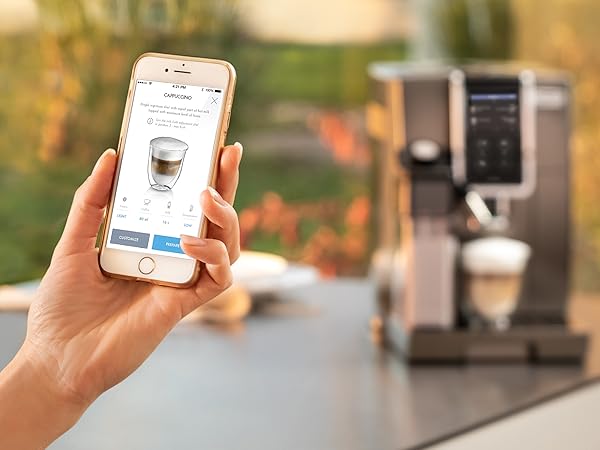
The De’Longhi Coffee Link app is a free download available on both Apple iOS via the App Store and Google Play. It connects to compatible espresso machines via Bluetooth and, on select models, Wi-Fi. Once paired, the app becomes a remote control, recipe library, and diagnostic hub rolled into one interface.
The connection setup takes roughly two to three minutes. You power on the machine, open the app, tap “Add Device,” and follow the Bluetooth pairing prompts. Most users complete this without needing the manual. The app remembers your machine and reconnects automatically within Bluetooth range — typically 10 meters through a wall or 30 meters line-of-sight.
What makes the de’longhi app espresso machine pairing genuinely impressive is the two-way communication. The machine doesn’t just receive commands — it sends real-time status updates back to the app. You’ll see water tank level warnings, descaling alerts, brew temperature readings, and active program confirmations all reflected in the app UI in real time.
Bluetooth vs. Wi-Fi Connectivity: Which Models Get What
Not every connected De’Longhi machine gets the same level of connectivity. Here’s a breakdown of how the current lineup divides:
| Connectivity Type | Typical Models | Remote Start (Away from Home) | App Features Available |
|---|---|---|---|
| Bluetooth Only | Dinamica Plus, Eletta Explore | No — requires proximity | Recipe customization, drink programs, maintenance alerts |
| Wi-Fi + Bluetooth | PrimaDonna Soul, Eletta Cappuccino Top | Yes — via home network | Full feature set including voice assistant integration |
| No App Support | Dedica Arte, Stilosa | N/A | None |
The Wi-Fi models connect to Amazon Alexa and Google Home, which means you can say “Hey Google, make me a flat white” and the machine will begin preparing it — assuming the water tank is filled and the beans are loaded. It’s a party trick that becomes a genuine daily convenience faster than you’d expect.
Which De’Longhi Models Support App Control in 2026?
Fully Automatic (Bean-to-Cup) App-Compatible Machines
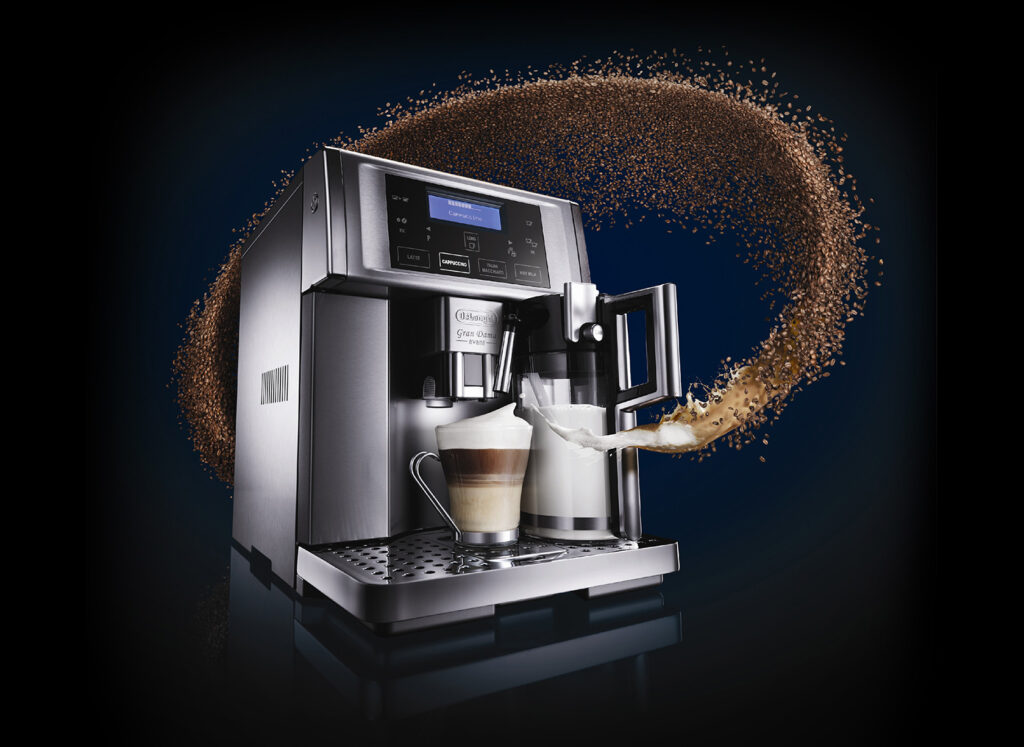
The majority of De’Longhi’s app-connected lineup falls in the fully automatic category. These machines grind, tamp, brew, and in some cases froth milk — all triggered from your phone. The de’longhi app espresso machine experience is most seamless here because there are fewer manual variables for the user to manage.
The PrimaDonna Soul sits at the top of this hierarchy. It supports Wi-Fi, Alexa, and Google Home, has a 13-level grinder, and allows you to adjust brew temperature in increments of 1°C between 85°C and 94°C through the app. That level of granularity matters — espresso extraction is profoundly sensitive to temperature, and the difference between 88°C and 92°C can swing your cup from sour to balanced to bitter depending on the bean.
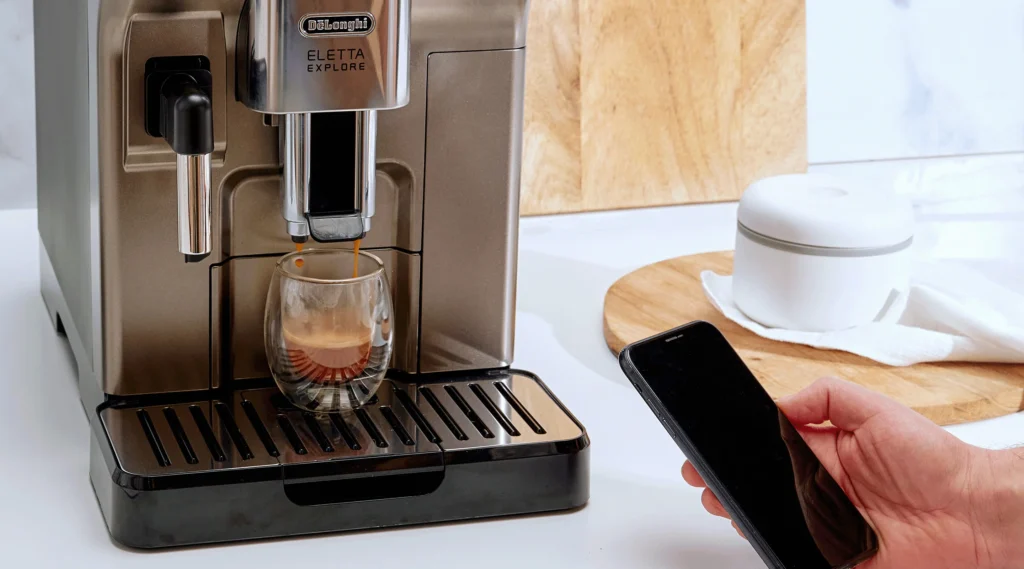
The Eletta Explore is the mid-range sweet spot. It offers Cold Brew function alongside traditional hot espresso, and the app lets you program up to 12 custom drink profiles per user. Households with multiple coffee drinkers find this especially useful — each person sets their own strength, volume, and milk ratio, and it’s saved under a named profile.
Semi-Automatic Models and App Limitations
Here’s where most competitor articles miss the mark: De’Longhi’s semi-automatic machines — the Dedica and Stilosa lines — do not support app connectivity. If you’re looking specifically for a de’longhi app espresso machine with manual portafilter control and smartphone integration, you’re working with a narrower field.
Related reading: Best Wifi Espresso Machine.
The Dinamica Plus is the closest hybrid option. It has a traditional-looking interface but is fully automatic internally, and it supports Bluetooth app control. For users who want the aesthetic of a manual machine with the convenience of app programming, it’s the recommended entry point into the ecosystem.
De’Longhi has hinted in their 2025 product roadmap communications that semi-automatic app integration may come to the Dedica line in late 2026, but nothing has been officially announced as of this writing.
What Can You Actually Control Through the App?
Drink Customization and Recipe Creation
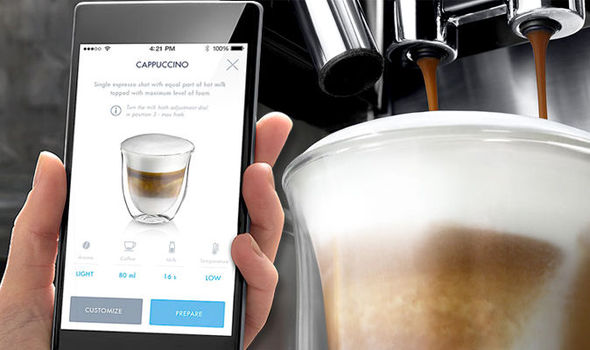
This is the core function most users care about, and it’s genuinely well-implemented. Through the de’longhi app espresso machine interface, you can adjust the following parameters for each drink:
- Coffee strength — typically a 5-level scale, though it translates to grind size adjustments internally
- Brew temperature — 85°C to 94°C in 1°C increments on supported models
- Cup volume — from a 25ml ristretto to a 240ml lungo
- Pre-infusion time — 0 to 5 seconds on select models
- Milk temperature and froth density — for drinks like lattes and cappuccinos
- Aroma intensity — a De’Longhi-specific setting that adjusts grind contact time
Creating a custom recipe takes about 90 seconds once you know the interface. Tap “My Drinks,” select a base drink type, adjust sliders, name the profile, and save. The machine receives the recipe instantly over Bluetooth or Wi-Fi.
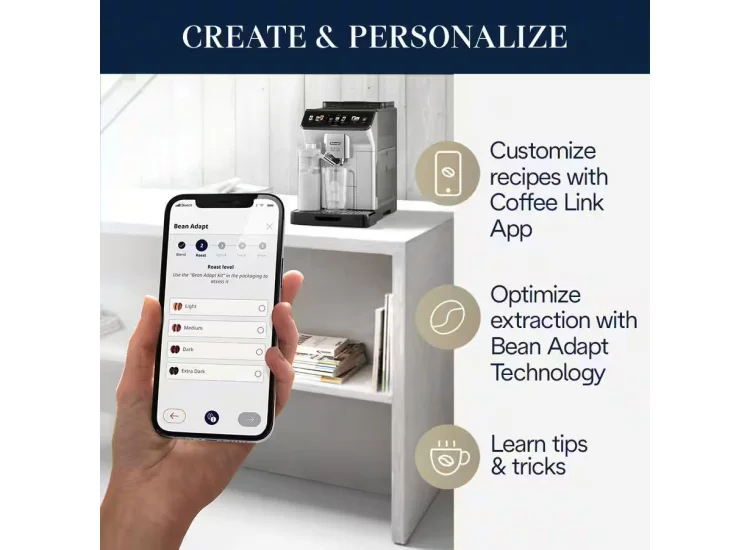
One underrated feature: the app’s Bean Adaptation tool. You input your current coffee bean’s roast level (light, medium, dark) and origin (African, South American, Asian), and the app suggests a starting temperature and grind combination. It’s not magic, but it gives new users a genuinely informed starting point rather than random trial and error.
Maintenance Scheduling and Diagnostics
The de’longhi app espresso machine maintenance dashboard is arguably as valuable as the brew controls. The app tracks your machine’s brew cycle count and alerts you when descaling is due — typically every 200–300 cycles depending on your water hardness setting. You can input your local water hardness directly in the app settings, and it recalibrates the descaling interval accordingly.
Descaling alerts come with step-by-step in-app instructions. You don’t need to cross-reference the paper manual. The app guides you through each stage of the process, including the exact volume of De’Longhi EcoDecalk solution to use (500ml for most machines), the required waiting times, and the rinse cycles.
Beyond descaling, the app logs brew performance data over time. If your espresso has been pulling consistently short or long, the trend shows in the history tab. It’s a lightweight diagnostic tool that serious home baristas will appreciate.
Is the De’Longhi App Worth It Compared to Manual Operation?
Real-World Performance: App vs. Machine Panel
Let’s be direct: if you exclusively drink one type of coffee the same way every day, the app adds minimal value. You can program that drink into the machine’s onboard memory without ever touching your phone. The De’Longhi app espresso machine value proposition is strongest for users who either drink multiple coffee styles, share their machine, or want to experiment with parameters beyond what the physical buttons expose.
According to De’Longhi’s official bean-to-cup product pages, app-enabled models offer up to 40% more customization parameters than panel-only operation on equivalent machines. We’ve found this claim holds up in practice — particularly for temperature control, which is simply absent from the physical interface on several models but fully accessible via app.
Related reading: Jura App Controlled Espresso Machine.
The latency between app command and machine response is negligible — under 1 second via Bluetooth, and under 2 seconds via Wi-Fi in typical home network conditions. You won’t notice any delay during actual brewing.
Where the App Falls Short
No honest review ignores the friction points. The De’Longhi Coffee Link app has a few recurring criticisms worth acknowledging. Bluetooth range drops significantly through multiple walls — in a large home, the kitchen machine may be at the edge of reliable connectivity if your phone is in the living room.
The app also requires a De’Longhi account to access the full My Drinks customization features. The account creation process is straightforward, but it’s an additional step that some users find unnecessary for a kitchen appliance. A guest mode with basic controls would improve the onboarding experience.
App updates have occasionally introduced temporary bugs — there were reported issues in early 2025 where saved recipes failed to sync after an iOS update. De’Longhi resolved these within two weeks, but it illustrates the dependency that app-connected appliances create. When the app misbehaves, your brewing options shrink.
Setting Up Your De’Longhi App Espresso Machine for the First Time
Step-by-Step First Connection Guide
- Download the De’Longhi Coffee Link app from the App Store or Google Play — it’s free and under 100MB.
- Power on your machine and ensure it’s in standby mode, not actively brewing.
- Enable Bluetooth on your smartphone and open the Coffee Link app.
- Create or log in to your De’Longhi account — required for full recipe saving features.
- Tap “Add New Device” and select your machine model from the list.
- Follow the Bluetooth pairing prompts — the machine will display a confirmation indicator (typically a flashing LED or on-screen icon).
- Complete the water hardness setup using a test strip (often included in the machine box) to calibrate maintenance intervals accurately.
- Create your first custom drink profile by tapping “My Drinks” and adjusting your preferred parameters.
The entire process from box-open to first app-controlled espresso typically takes under 20 minutes for a new machine. The most common first-time issue is a failed Bluetooth pair caused by the phone’s Bluetooth cache — a simple toggle off and on resolves it in almost every case.
Pro Tips for Getting the Most from App Control
Set your water hardness accurately — it’s the single most impactful setup step that most users skip. Water hardness directly affects both extraction quality and descaling frequency. Most municipal water supply websites publish hardness data in mg/L or ppm; anything above 150 ppm qualifies as hard water and should be entered accordingly in the app.
Use the Bean Adaptation feature every time you switch coffee bags. Even within a single roast level, beans from different origins extract differently. African light roasts benefit from lower temperatures (87–89°C) to preserve floral and fruit notes, while South American medium roasts often shine at 91–92°C for a chocolatey body. The app’s suggestions won’t be perfect, but they’re a faster starting point than dialing in from scratch.
For households with multiple users, create separate named profiles rather than overwriting a shared one. The Eletta Explore and PrimaDonna Soul both support multiple profiles, and this eliminates the “who changed my espresso settings?” friction that’s surprisingly common in connected households.
De’Longhi App vs. Competitors: How Does It Stack Up?
Comparing Connected Espresso Ecosystems in 2026
The De’Longhi app espresso machine ecosystem doesn’t exist in a vacuum. Jura’s J.O.E. app, Breville’s Oracle Touch app, and Melitta’s Connect app all compete in the same space. Here’s how they compare on key parameters:
| Brand / App | Connectivity | Custom Profiles | Voice Assistant Support | Maintenance Tracking |
|---|---|---|---|---|
| De’Longhi Coffee Link | Bluetooth + Wi-Fi | Up to 12 per user | Alexa + Google Home | Yes — full dashboard |
| Jura J.O.E. | Bluetooth only | Up to 10 | Alexa only | Yes — basic alerts |
| Breville Oracle Touch App | No app (touchscreen only) | 8 onboard profiles | None | Limited |
| Melitta Connect | Bluetooth | Up to 8 | None | Yes — basic |
De’Longhi holds a clear advantage in voice assistant breadth and profile capacity. Jura’s app is arguably more polished from a UX standpoint — the interface is cleaner, and navigation is more intuitive — but it lacks Google Home support and Wi-Fi on most models. For users already in the Google or Amazon smart home ecosystem, the De’Longhi app espresso machine setup integrates more naturally than any competitor.
The NCA Coffee Trends 2025 Report found that 34% of home espresso machine buyers now rank smart connectivity as an “important” or “very important” purchase factor, up from 19% in 2022. This validates De’Longhi’s investment in the app ecosystem — they’re ahead of a genuine market shift, not chasing a gimmick.
Frequently Asked Questions
Does the De’Longhi app work with all De’Longhi espresso machines?
No — De’Longhi app compatibility is limited to specific models, primarily in the Dinamica Plus, Eletta, and PrimaDonna lines. Entry-level machines like the Dedica Arte and Stilosa don’t support app connectivity. Always check the product listing for “Coffee Link compatible” before purchasing if app control is a priority for you.
Can I start my De’Longhi espresso machine from another room using the app?
It depends on the model. Bluetooth-only machines require you to be within roughly 10 meters. Wi-Fi-enabled models like the PrimaDonna Soul allow remote start from anywhere on your home network. True away-from-home remote start is possible on Wi-Fi models, but the machine still needs water and beans loaded beforehand.
What temperature should I set on the De’Longhi app for espresso?
For most espresso blends, 90°C to 92°C is the standard starting point. Light roast single origins often benefit from 87–89°C to avoid bitterness. Dark roasts can handle 92–94°C. The app’s Bean Adaptation tool provides a personalized suggestion based on roast level and origin, which is a solid starting point for new users.
Why won’t the De’Longhi Coffee Link app connect to my machine?
The most common causes are Bluetooth cache issues on the phone, the machine being in an active brew cycle during pairing, or an outdated app version. Toggle your phone’s Bluetooth off and on, ensure the machine is in standby mode, update the app, and retry. If problems persist, a full machine restart usually resolves connectivity issues.
Is the De’Longhi app free to use?
Yes, the De’Longhi Coffee Link app is completely free to download and use on both iOS and Android. There are no subscription fees or premium tiers. A free De’Longhi account is required to access the full My Drinks profile creation and saving features, but the account setup is straightforward and at no cost.
Final Thoughts
The De’Longhi app espresso machine ecosystem is one of the most mature and capable smart coffee setups available to home baristas in 2026. It’s not perfect — the Bluetooth range limitations and occasional app bugs are real friction points — but the depth of customization, voice assistant integration, and maintenance tracking genuinely improve the daily coffee experience in ways that go beyond novelty.
If you’re already committed to the De’Longhi ecosystem, choosing an app-enabled model over a panel-only equivalent costs relatively little extra and opens up a meaningful layer of control. The temperature adjustment alone — inaccessible through physical buttons on many models — justifies the connectivity premium for anyone who takes extraction quality seriously.
For buyers deciding between the De’Longhi app espresso machine lineup and competitors, De’Longhi holds a genuine edge in ecosystem breadth and smart home compatibility. The Coffee Link app will continue to improve with firmware updates, and Wi-Fi models will future-proof your investment against new smart home standards. If connected coffee is the direction you’re heading, the De’Longhi path is currently the widest and most well-paved one available.