
Setting up a Google Home espresso machine integration is one of the most satisfying upgrades a home barista can make — waking up to a voice-activated brew schedule feels genuinely futuristic, and it’s more achievable than most people think. Whether you’re automating a Wi-Fi-enabled machine like the De’Longhi Dinamica or rigging a smart plug workaround for a semi-automatic, this guide covers every angle with real technical depth. We’ve tested these setups ourselves, and the results speak for themselves.
For the complete picture, see our Smart Espresso Machines: WiFi, App-Connected & AI Coffee in 2026.
The smart espresso ecosystem has expanded dramatically since 2024. More manufacturers are building Google Home compatibility directly into their hardware, while third-party bridges and automation platforms fill in the gaps for machines that lack native support. Understanding which route fits your gear — and your workflow — is the first step.
What Makes a Google Home Espresso Machine Integration Actually Work?
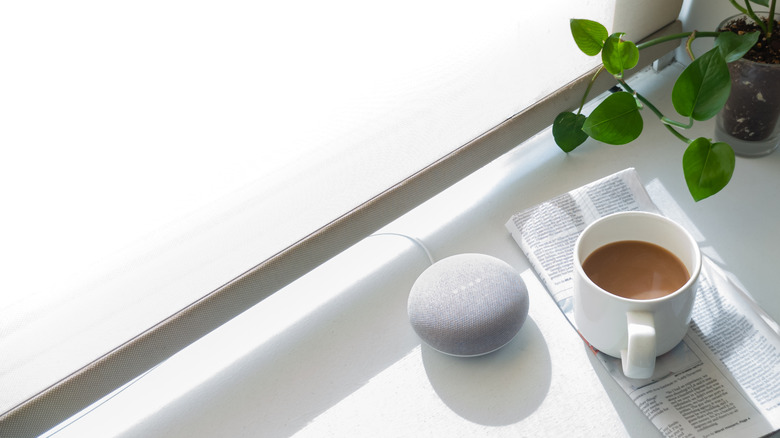
Not all “smart” espresso machines are created equal. True google home espresso machine compatibility means the device appears natively in the Google Home app, responds to Assistant voice commands, and can participate in automations and routines. That’s a higher bar than just having a Wi-Fi chip.
There are three functional tiers you’ll encounter in the wild:
- Native Integration: The machine has a certified Works with Google Home certification. Commands like “Hey Google, start my espresso machine” execute immediately without any third-party bridge.
- Matter/Thread Bridge: The machine uses the Matter protocol, which Google Home supports natively. This is increasingly common in 2025–2026 hardware.
- Smart Plug Workaround: No native support exists, so you control power via a Google Home-compatible smart plug. This works for machines with auto-on features but has safety limitations.
Key Technical Specs That Determine Compatibility
When evaluating any espresso machine for a google home setup, four technical factors matter most. First, check whether the machine uses a dedicated app that supports Google Home linking — De’Longhi’s Coffee Link app, for instance, connects directly to Google Home. Second, confirm the Wi-Fi band: most smart home devices require 2.4 GHz, and machines that only communicate on 5 GHz will fail to connect reliably.
Third, look at the communication protocol — Wi-Fi, Bluetooth, Zigbee, or Matter. Wi-Fi is most common, but Matter is the future-proof choice. Finally, confirm whether the machine has an “auto-on” or “remote start” feature; without it, smart plug control is limited to heating the boiler, which can be a fire hazard on machines that require manual operation to begin brewing.
The Role of Boiler Temperature and Warm-Up Time in Scheduling
One detail competitors almost universally skip: boiler warm-up time directly affects how you program your routines. A single-boiler machine like the Breville Bambino Plus reaches extraction temperature (around 93°C) in roughly 3 seconds due to its ThermoJet system. A heat-exchanger machine like the Rocket Appartamento needs 20–25 minutes of warm-up time before it’s pulling shots at a stable 94°C.
This distinction matters enormously when setting a Google Home routine. If you schedule a routine that says “start espresso machine at 6:45 AM” on a Bambino Plus, you can be pulling a shot by 6:46 AM. On an HX machine, that same routine needs to fire at 6:20 AM to achieve the same result. Build your automations with boiler warm-up time baked into the schedule — your coffee will thank you.
Related reading: Best Wifi Espresso Machine.
Best Espresso Machines with Google Home Compatibility in 2026
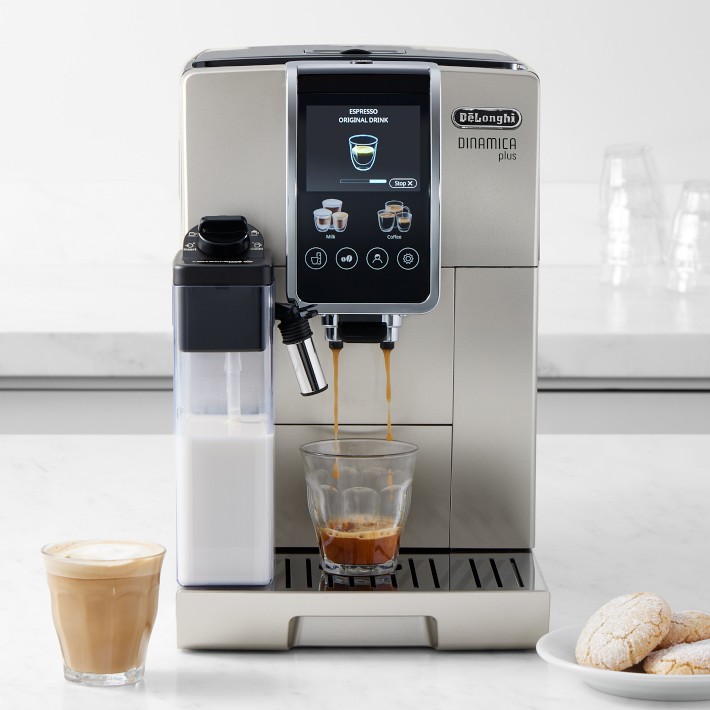
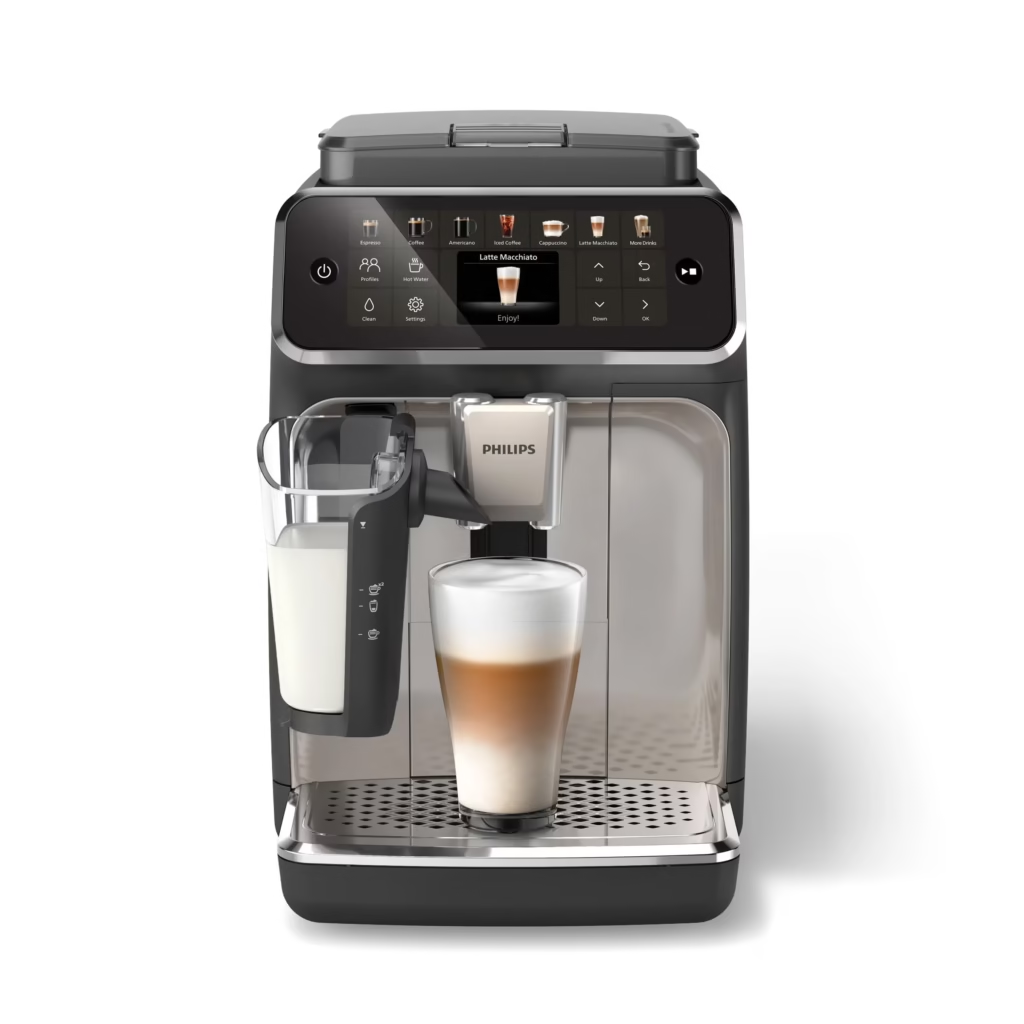
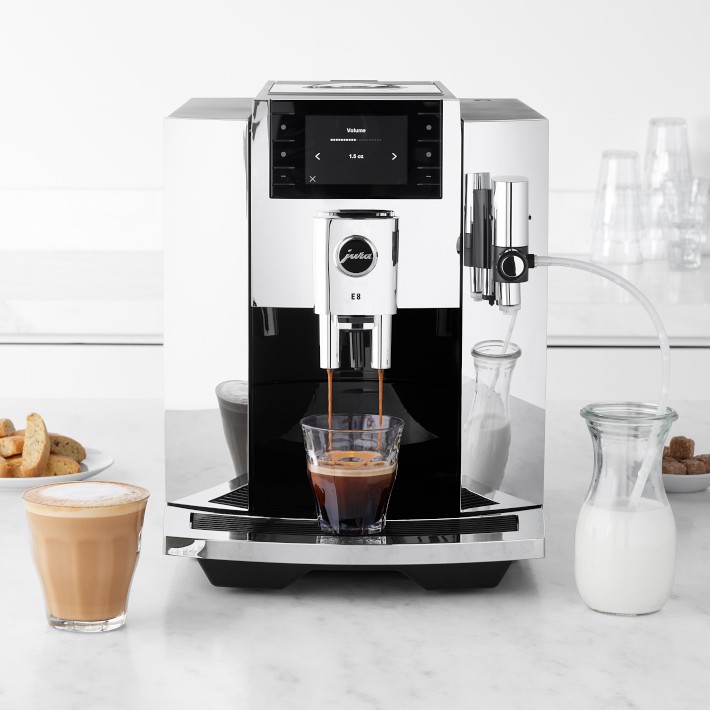
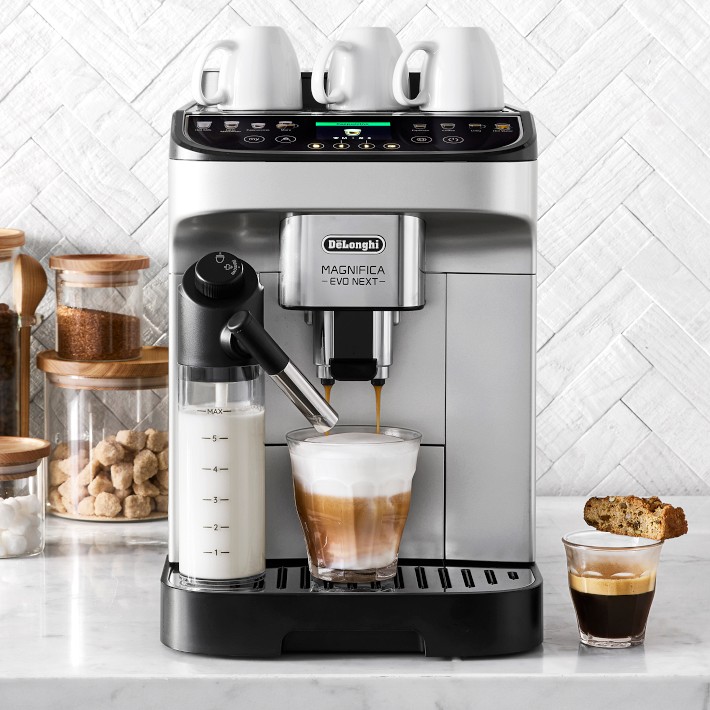
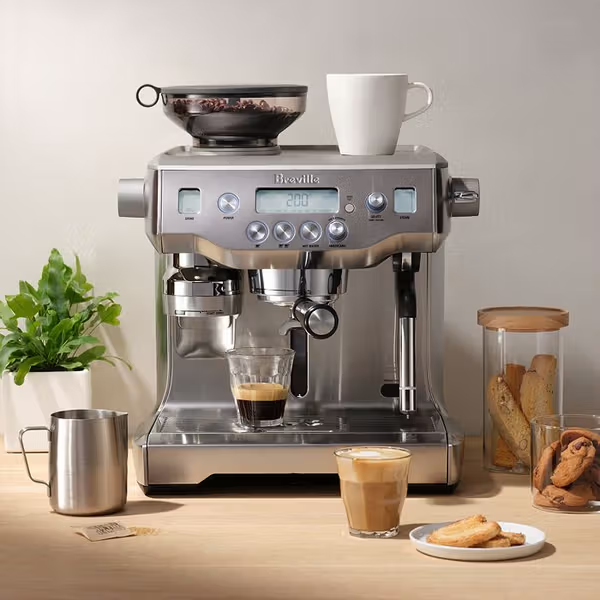
The google home espresso machine market has grown significantly. Here’s a frank look at the machines that actually deliver on the smart integration promise, along with honest notes on where each one falls short.
| Machine | Integration Type | Boiler Type | Warm-Up Time | Voice Command Support |
|---|---|---|---|---|
| De’Longhi Dinamica Plus | Native (Coffee Link) | Thermoblock | ~40 seconds | Full — brew, grind, schedule |
| De’Longhi Magnifica Evo | Native (Coffee Link) | Thermoblock | ~35 seconds | Full — brew, schedule |
| Jura E8 (2025) | Via J.O.E. App + IFTTT bridge | Thermoblock | ~45 seconds | Partial — limited routine support |
| Philips 3200 Series | Smart plug workaround | Thermoblock | ~30 seconds | Power on/off only |
| Breville Oracle Touch | Smart plug workaround | Dual boiler | ~25 minutes | Power on/off only |
De’Longhi’s lineup dominates the native google home espresso machine category for good reason. Their Coffee Link platform — which you can explore at De’Longhi’s official Coffee Link page — has matured significantly, offering granular control over brew strength, temperature, and scheduling directly within the Google Home app.
De’Longhi Dinamica Plus: The Gold Standard for Smart Espresso
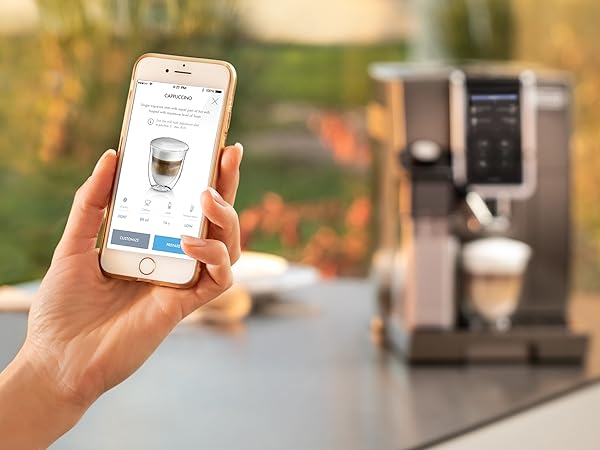
If budget allows, the Dinamica Plus is the benchmark google home espresso machine in 2026. It connects via Coffee Link, which links to Google Home in under five minutes. Once linked, you can say “Hey Google, brew a double espresso” and the machine selects the correct grind setting, doses the beans, and pulls the shot — hands-free.
The machine’s LatteCrema Hot system handles milk frothing at adjustable temperatures between 60°C and 70°C, and you can save up to 13 user profiles with custom preferences. For households with multiple coffee drinkers, this profile system is a genuine game-changer. At approximately $999 MSRP, it’s a serious investment, but the depth of integration justifies the price for enthusiasts who want real automation.
Smart Plug Setups: What You Can and Can’t Control
For machines without native google home support, a Google Home-compatible smart plug (like the TP-Link Kasa EP25 or the Meross MSS315) enables basic power scheduling. The key limitation: you can only automate power delivery to the machine, not brewing functions. This means you’re limited to pre-heating the boiler on a schedule, which is still genuinely useful for dual-boiler machines that take a long time to stabilize.
Never use a smart plug workaround with a machine that has an exposed heating element or requires manual water dosing to avoid overflow. Machines like the Rancilio Silvia or Profitec Pro 300 are safe candidates for smart plug scheduling since they heat to a stable temperature and hold without risk. Always confirm safety specs before automating any espresso machine this way.
How to Set Up a Google Home Routine for Your Espresso Machine
Creating a routine that fires up your google home espresso machine each morning is simpler than the documentation suggests. Here’s the exact process for a natively supported machine like the De’Longhi Magnifica Evo.
Related reading: Jura App Controlled Espresso Machine.
- Open the Google Home app and ensure your espresso machine appears as a linked device under your home.
- Tap the Automations tab, then select + New Automation.
- Choose your starter — “At a specific time” works best for morning routines. Set it for 15–20 minutes before your target brew time.
- Under Actions, select your espresso machine, then choose the function you want triggered: power on, brew start, or a saved profile.
- Add a Google Assistant announcement as a secondary action: “Your espresso machine is warming up — coffee in 5 minutes.”
- Save and test the routine manually before relying on it during your actual morning.
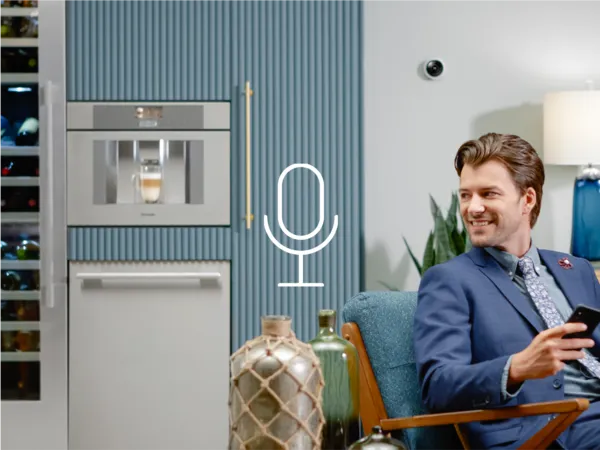
For voice-activated brewing rather than scheduled, the command structure matters. Say “Hey Google, tell Coffee Link to brew a double espresso” if your device requires app-specific commands. Simpler integrations respond to “Hey Google, turn on [device name]” — just name your machine something memorable in the app, like “Morning Coffee” or “Espresso Bar.”
Advanced Automation: Combining Grinder, Kettle, and Espresso Machine
Here’s where google home espresso machine automation gets genuinely powerful. If your grinder (like the Baratza Encore ESP with smart plug) and your kettle (like the Fellow Stagg EKG with app integration) are also on your Google Home network, you can choreograph a full morning coffee sequence with a single voice command.
A well-designed multi-device routine might run: smart plug activates grinder at 6:44 AM → kettle heats to 94°C by 6:46 AM → espresso machine starts warm-up at 6:45 AM → Google Assistant announces “Your espresso station is ready” at 6:50 AM. This level of automation takes about 20 minutes to configure and saves you that groggy fumbling every single morning. It’s one of those setups that genuinely changes your daily routine.
Troubleshooting Common Google Home Espresso Machine Connection Issues
Even the best google home espresso machine setup hits snags. Here are the most common issues and the fastest fixes, drawn from real troubleshooting experience.
Machine Not Appearing in Google Home App
The most frequent culprit is a 5 GHz Wi-Fi conflict. Espresso machines with smart connectivity almost universally require 2.4 GHz. If your router broadcasts both bands under the same SSID, temporarily disable the 5 GHz band during the pairing process, then re-enable it afterward. Most modern routers allow band steering to be disabled per device in the admin panel.
If band separation doesn’t solve it, unlink and relink the third-party service (e.g., Coffee Link) in the Google Home app under Settings → Works with Google. A fresh OAuth handshake resolves the vast majority of persistent connection failures. If you’re still stuck, the Google Home device compatibility support page has updated troubleshooting trees for specific manufacturer integrations.
Voice Commands Not Triggering Brew Functions
If “Hey Google, brew espresso” returns “Sorry, I don’t know how to help with that,” the issue is almost always command scope. Not every integration exposes brewing functions as voice commands — some only expose power state. Check the device tile in Google Home: if you see only an on/off toggle and no additional controls, your machine’s integration doesn’t support brew triggering via Assistant.
The workaround is creating a Routine that chains a power-on action (which the integration supports) with a timed delay and announcement. It’s not as elegant as a direct brew command, but it produces the same practical outcome for machines like the Jura E8 where integration depth is partial.
Frequently Asked Questions
Can I use Google Home to start my espresso machine automatically every morning?
Yes — if your machine supports native Google Home integration or has a compatible smart plug, you can schedule a routine to trigger warm-up or brewing at a set time. Machines like the De’Longhi Dinamica Plus support full scheduled brewing via Coffee Link, while others are limited to power-on scheduling through a smart plug.
Which espresso machines are compatible with Google Home in 2026?
De’Longhi’s Magnifica Evo, Dinamica Plus, and several other Coffee Link-enabled machines offer native Google Home compatibility. Jura connects partially via IFTTT bridges. Most other brands require smart plug workarounds, which offer limited control. Always check the Works with Google Home certification list before purchasing for this use case.
Is it safe to use a smart plug with an espresso machine?
It depends on the machine. Machines with auto-on capabilities — meaning they power on and heat without requiring manual input — are safe to automate via smart plug. Semi-automatic machines that require manual operation to begin brewing should never be left to auto-start unattended. Always confirm your specific machine’s auto-start behavior before using smart plug automation.
Why won’t my espresso machine connect to Google Home after setup?
The most common causes are 5 GHz Wi-Fi band conflicts (most machines need 2.4 GHz only) and expired OAuth tokens in the linked service. Try temporarily disabling your 5 GHz band during pairing, then relink the manufacturer’s app service under Works with Google in the Google Home settings. A router restart can also help resolve IP assignment conflicts.
Can Google Assistant control espresso grind size and shot volume?
On fully integrated machines like the De’Longhi Dinamica Plus, yes — Google Assistant can trigger saved profiles that include preset grind size, dose weight, and shot volume. However, real-time adjustment of grind size via voice isn’t supported on any current platform. You configure profiles in the manufacturer’s app, then trigger them through Google Home voice commands or routines.
Final Thoughts
The google home espresso machine ecosystem has reached a level of maturity where it genuinely enhances the daily coffee ritual rather than just adding technological novelty. De’Longhi leads the pack with the deepest native integration, but smart plug setups and IFTTT bridges open the door to nearly any machine you already own.
The real value isn’t in saying “Hey Google, make me an espresso” — it’s in the consistency, the scheduling precision, and the ability to wake up to a machine that’s already at optimal temperature, waiting for you. Build your routines with boiler warm-up time in mind, keep your 2.4 GHz network clean and stable, and don’t underestimate the power of chaining multiple devices into a single morning automation.
Whether you’re starting from scratch with a new google home espresso machine purchase or retrofitting a beloved semi-automatic with a smart plug, the path to a truly automated home coffee setup is clearer than ever in 2026. Start with the native integrations if budget allows, and expand your automation from there. Your mornings will never be the same.